One hub.
Every message.
Total visibility.

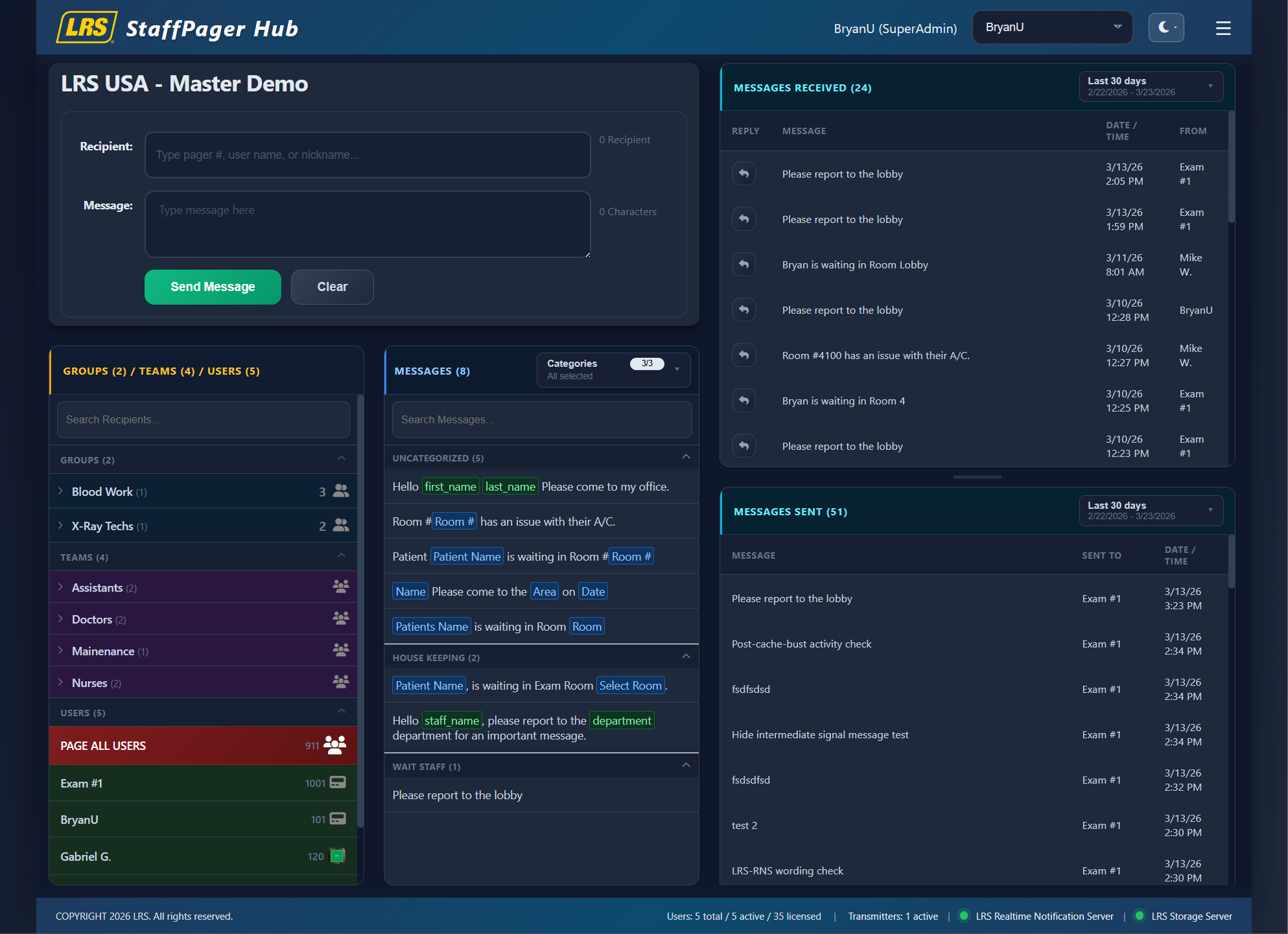
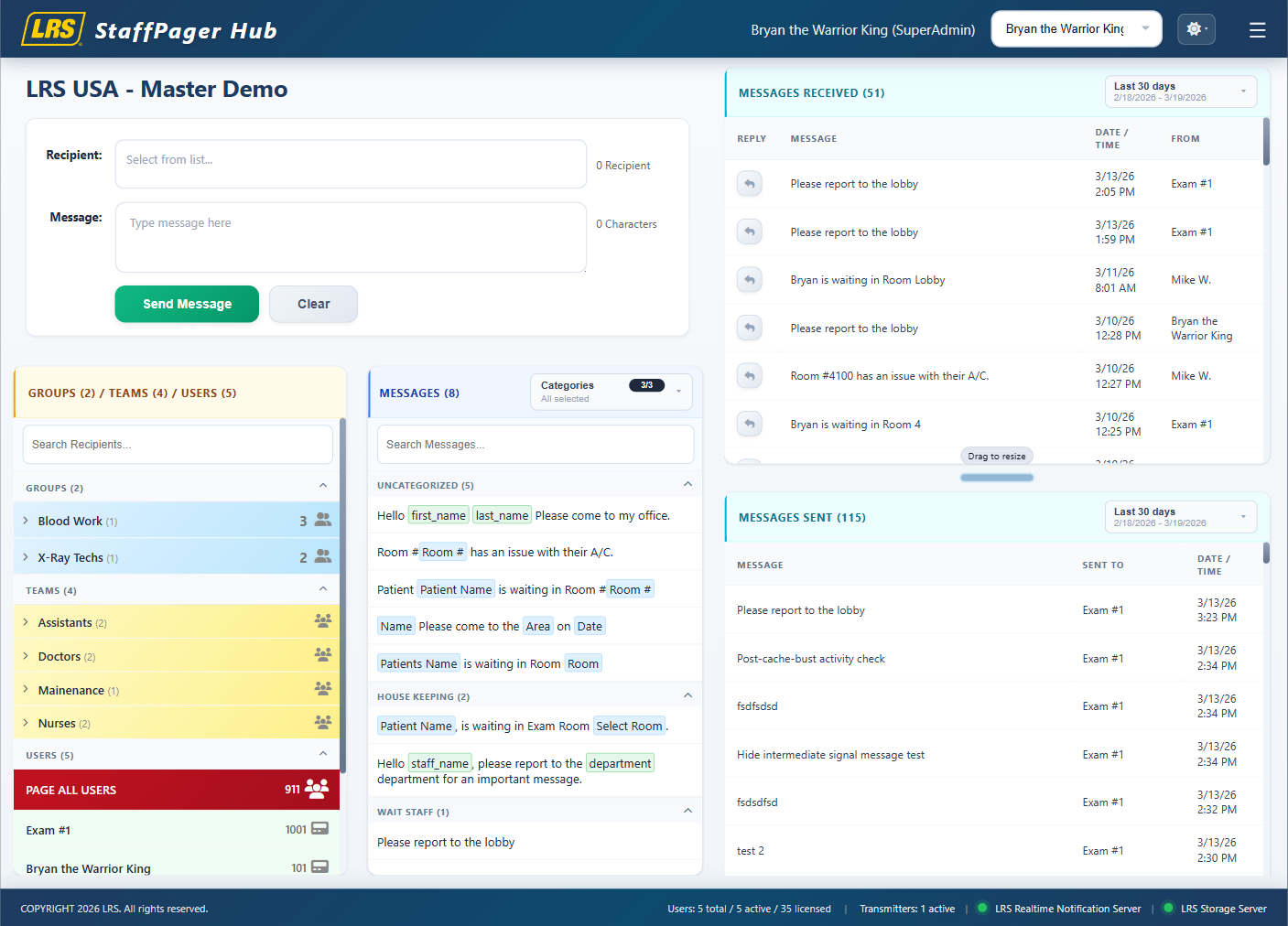
StaffPager Hub gives teams one place to select recipients, compose messages, use presets, and track sent/received history in real time. The interface is built for fast-paced environments where communication needs to be immediate, clear, and accountable.

One-click Paging Message users, teams, and groups from one screen.
Preset Messages Speed up common communication patterns instantly.
Shared-Terminal Ready Use screen lock and role-based access controls.
Light & Dark mode supported
Main Interface
StaffPager Hub dark mode interface preview
Main StaffPager Hub interface in light mode
Main StaffPager Hub interface in dark mode
Product Tour

Purpose-built workflow from recipient selection to message delivery.

Operators can move quickly through recipient discovery, message composition, and dispatch without switching between disconnected views.

Compose and send without leaving context

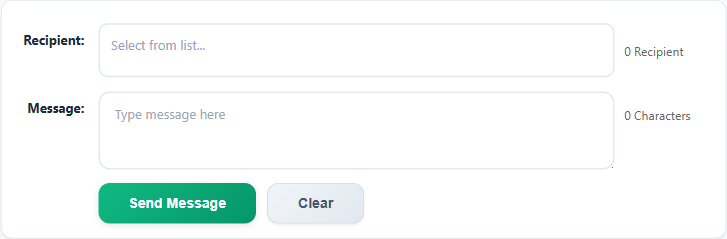
Recipient selection, preset suggestions, and message input all stay within the same workspace so teams can act quickly during active operations.

  • Select recipients from users, teams, and groups.
  • Use preset messages to reduce repeated typing.
  • Send and clear actions are always one click away.
Compose Panel
Compose panel and recipient tools
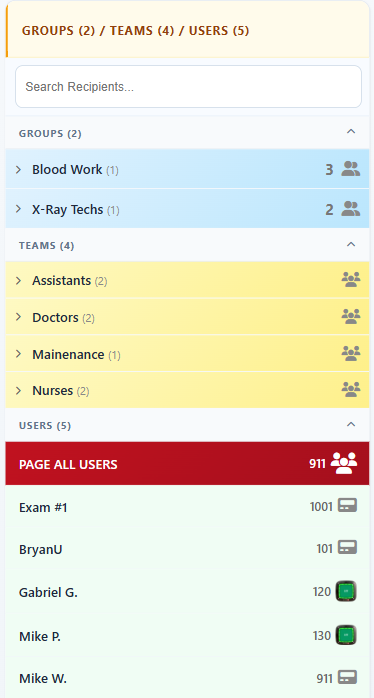
Recipients
Recipients panel with groups, teams, and users

Recipient-centric paging for teams and groups

The recipient panel supports individual and group selection so staff can route messages to exactly who needs the alert.

  • Search recipients quickly.
  • Select groups and teams for one-to-many dispatch.
  • Use PAGE ALL only when configured and appropriate.
Live Visibility

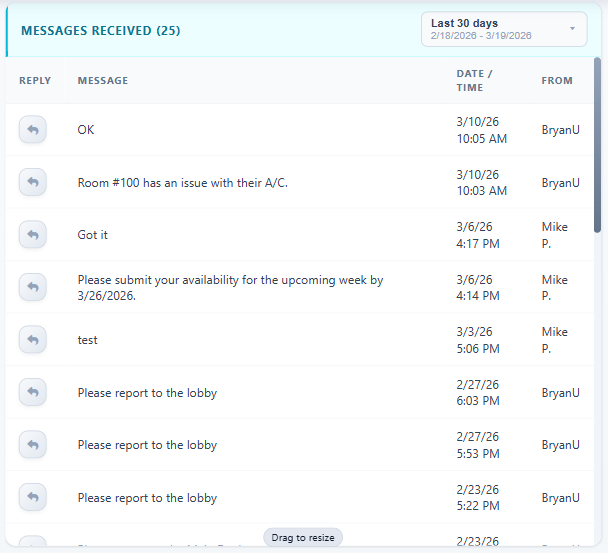
Keep received and sent activity visible while work is happening.

Message history stays close to active composition, allowing teams to verify timing and status without interrupting current tasks.

Built-in accountability with immediate operational context

Teams can review inbound and outbound communication in the same interface they use to send pages, helping reduce duplicate messages and missed follow-up.

  • Quickly verify who sent or received each message.
  • Track timelines with date-based filtering.
  • Support handoffs across shifts and shared stations.
Messages Received / Sent
Messages received and sent history
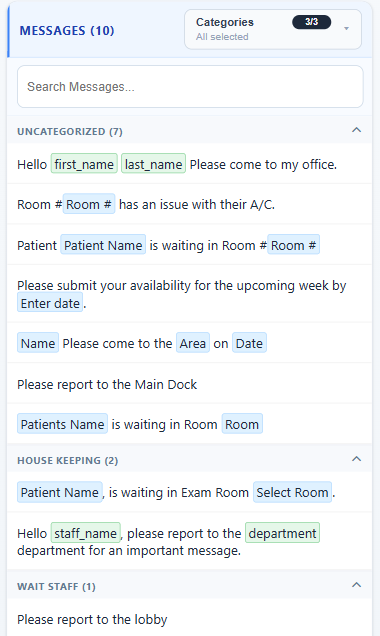
Preset Messages
Preset messages organized by category

Consistent communication with preset categories

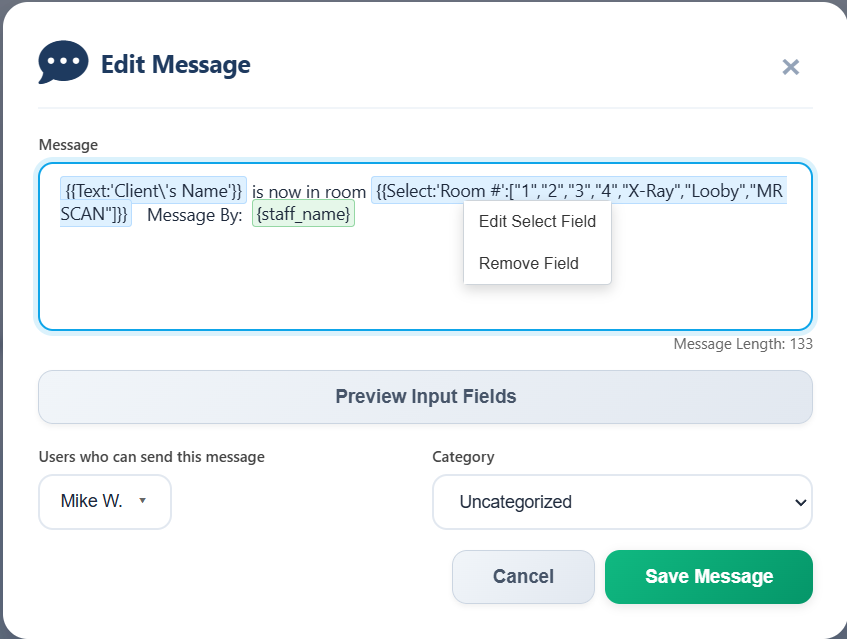
Preset messages keep recurring phrases standardized and reduce dispatch friction for high-frequency communication patterns.

  • Organize by categories for faster lookup.
  • Support dynamic fill-in fields when required.
  • Apply role-based rules for custom message access.
Groups and Teams Broadcast to multiple recipients with one action.
Role Access Menu visibility and controls align to each role.
Screen Lock Protect shared terminals when unattended.
Audit History Review sent and received communication quickly.
Administration

Manage users, settings, preferences, and reporting from one platform.

Administrative workflows extend naturally from daily messaging tasks, with access to settings, organization preferences, and API/reporting controls.

Operational controls for managers and administrators

Configure user access, manage messaging behavior, and support integration/reporting requirements with interfaces that match the main experience.

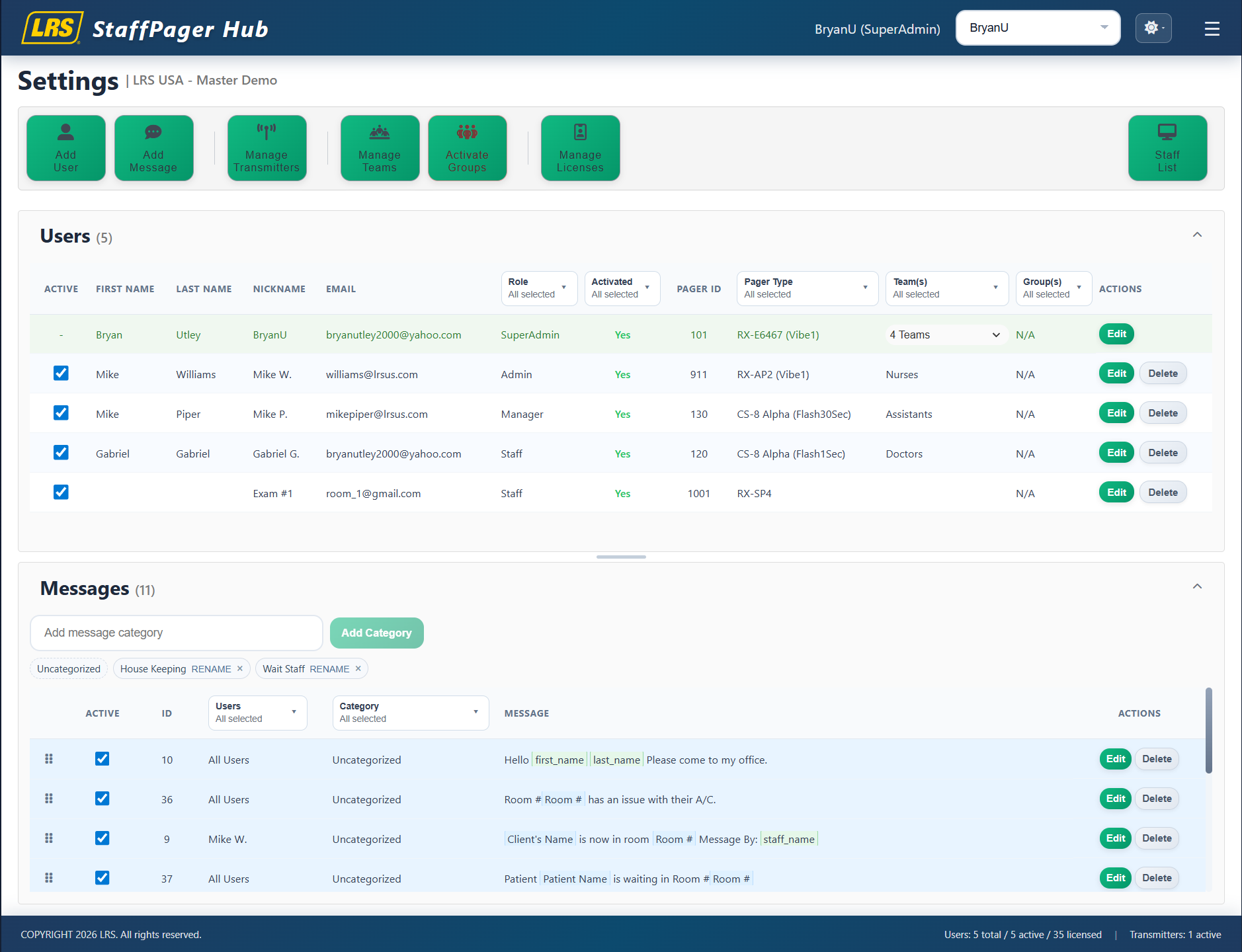
  • Manage users, messages, teams, groups, and transmitters.
  • Control navigation and settings permissions in Preferences.
  • Use API access and scheduled reporting for visibility.
Settings Toolbar
Administrative settings and controls
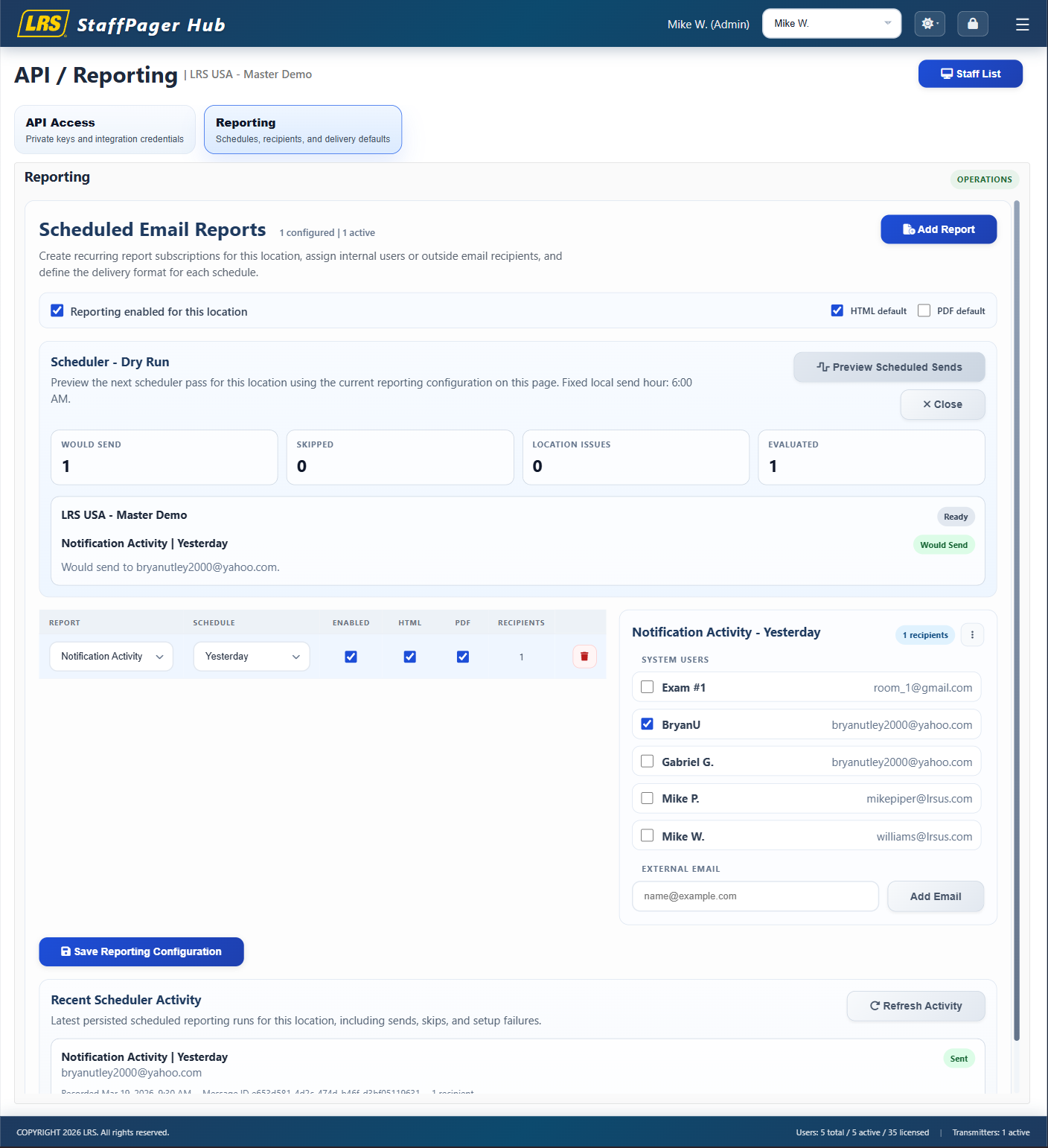
API and Reporting
API and reporting tools

Reporting and integration tools for broader operations

API credentials and scheduled reporting extend the platform beyond live paging and help teams automate visibility and external workflows.

  • Generate and manage API keys.
  • Schedule report delivery by recipient and cadence.
  • Support operational review and planning.

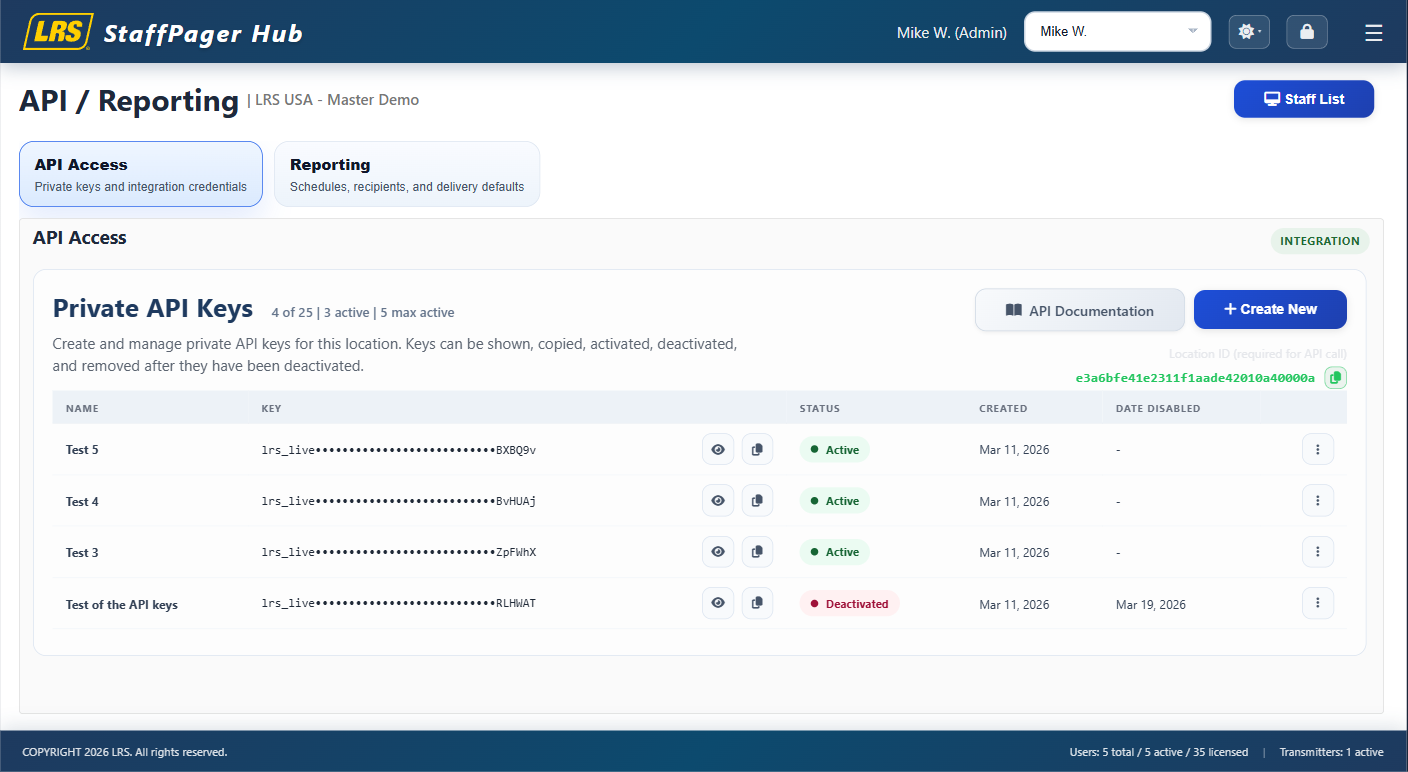
API access to data with controlled key management

Give approved systems and teams secure access to platform data through managed API credentials built for operational integrations.

  • Generate and revoke API keys from one place.
  • Support downstream dashboards, automations, and internal tools.
  • Keep integration access visible for administrators.
API Access
API access key management interface
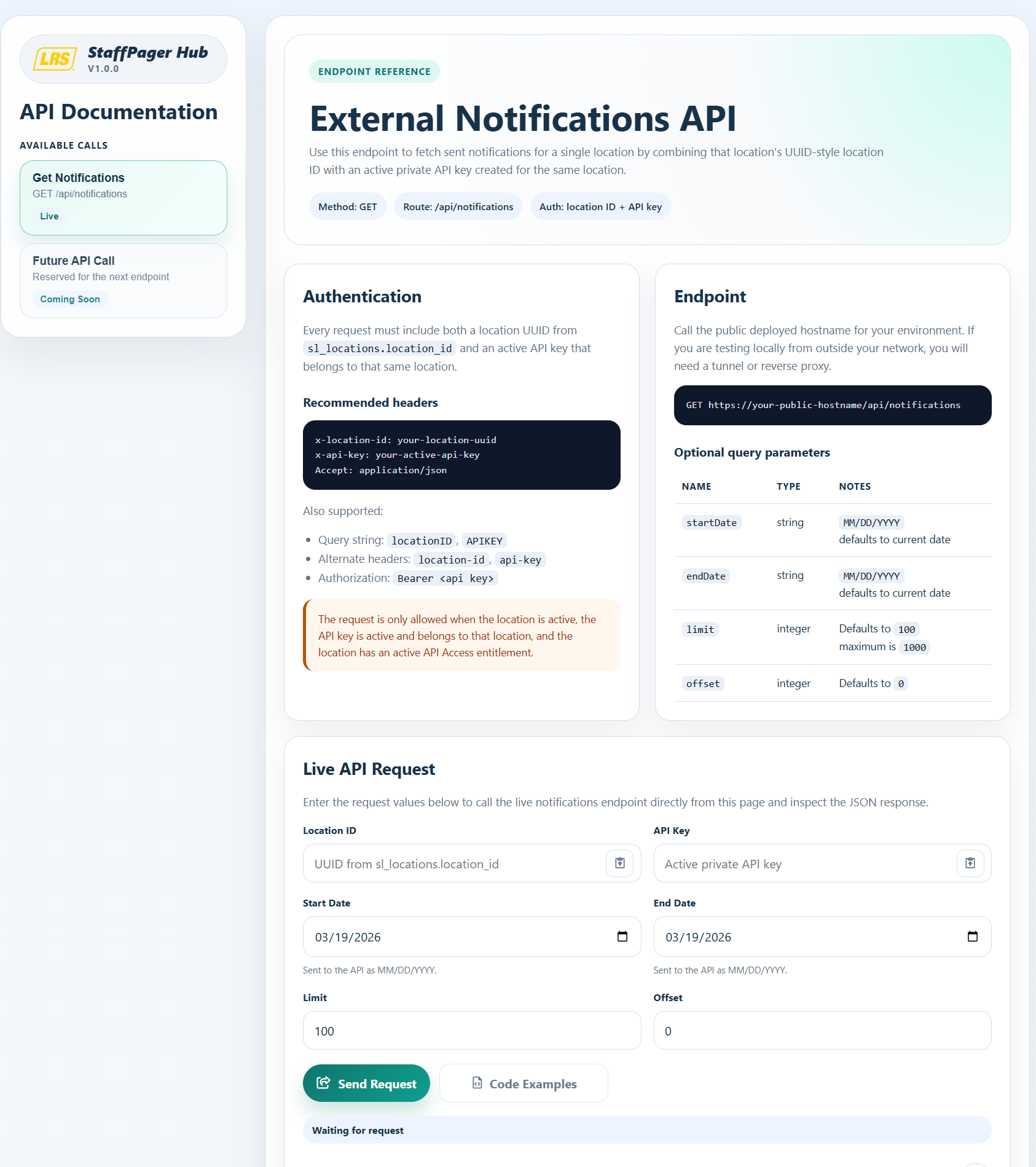
API Documentation
API documentation with live API calls

API documentation with live calls and implementation guidance

Give developers a direct path from credential setup to tested requests with documentation that supports both discovery and hands-on validation.

  • Browse endpoint documentation and request details.
  • Review live API call examples in one place.
  • Open API Documentation
Core Capabilities

Features aligned with the full user guide.

From sign-in and account activation to screen lock and profile controls, the platform supports day-to-day use and long-term operational governance.

Getting Started

Login, signup, forgot-password, and account activation flows support both self-service and admin-led onboarding.

Main Interface

Header controls include user context, switch-user, theme, screen lock, and role-aware navigation.

Messaging Controls

Use recipient filters, preset categories, group/team targeting, and message history with date filters.

Security and Access

Screen lock and role-based permissions help protect shared terminals and sensitive controls.

Start messaging from a workspace built for real operations.

Sign in to the app to begin, or open the user guide for setup and feature details.